
Anúncios
Transform Your Smartphone into a Precision Measuring Tool

Start Measuring Now
Gone are the days when measuring a room required a physical tape measure, a notepad, and considerable effort. Today’s smartphones come equipped with sophisticated sensors and augmented reality capabilities that transform your device into a versatile measuring instrument. Whether you’re planning furniture placement, calculating flooring needs, or simply satisfying your curiosity about object dimensions, there’s likely an app that can help.
The technology behind these measurement apps combines your phone’s camera, accelerometer, gyroscope, and advanced algorithms to deliver surprisingly accurate results. From professional contractors to DIY enthusiasts and everyday users, millions of people now rely on their smartphones to measure objects, rooms, and distances with remarkable precision. Let’s explore the best apps available and how they’re revolutionizing the way we interact with physical spaces. 📱📏
How Smartphone Measurement Technology Actually Works
Before diving into specific apps, it’s worth understanding the technology that makes smartphone measuring possible. Modern devices utilize a combination of hardware and software innovations that would have seemed like science fiction just a decade ago.
Augmented Reality (AR) serves as the foundation for most measurement apps. Apple’s ARKit and Google’s ARCore platforms provide developers with the tools to create applications that can understand and map the physical world through your camera lens. These frameworks detect surfaces, estimate distances, and track movement in three-dimensional space with impressive accuracy.
Your phone’s camera captures the visual information, while sensors like the gyroscope and accelerometer track your device’s orientation and movement. The processor then combines this data to create a spatial map of your environment, allowing the app to place virtual measuring points with real-world accuracy. Some apps also leverage LiDAR (Light Detection and Ranging) technology, available on newer iPhone and iPad models, which uses laser pulses to measure distances with professional-grade precision. ✨
Apple Measure: The Built-In Solution for iPhone Users
iPhone users don’t need to look far for a capable measuring tool—Apple includes the Measure app pre-installed on devices running iOS 12 and later. This native application exemplifies how integrated hardware and software can deliver seamless functionality.
The Measure app automatically detects rectangular objects like picture frames, posters, and signs, displaying their dimensions instantly. For other objects or custom measurements, you simply tap to place a starting point, move your phone to the endpoint, and tap again to complete the measurement. The app displays the measurement in real-time as you move, making it easy to get precisely the reading you need.
On iPhone 12 Pro, iPhone 13 Pro, and newer Pro models equipped with LiDAR scanners, the Measure app achieves significantly enhanced accuracy. The LiDAR sensor can measure distances up to 5 meters away and works effectively even in low-light conditions. You can measure a person’s height automatically when they’re in frame, save measurements with screenshots, and even use the built-in level tool for alignment projects.
Best Practices for Using Apple Measure
To get the most accurate results from Apple’s Measure app, ensure you’re in a well-lit environment whenever possible. Move your phone slowly and steadily when establishing measurements, allowing the AR system time to properly map the space. For best results, try to keep the object or surface you’re measuring clearly visible in the frame throughout the process.
The app works best on surfaces with visible texture and contrast—plain white walls or reflective surfaces can sometimes challenge the AR tracking system. If you notice measurements drifting or jumping, try recalibrating by moving your phone in a figure-eight pattern to help the sensors reorient themselves. 🎯
Google Measure and AR Measurement Apps for Android
Android users have access to Google’s Measure app, though it’s worth noting that Google discontinued official support for this application in 2021. However, the app still functions on many ARCore-compatible devices, and several excellent alternatives have emerged to fill the gap.
Google Measure operated on principles similar to Apple’s version, using ARCore technology to detect surfaces and calculate distances. Users could measure horizontal and vertical surfaces, save measurements with photos, and switch between metric and imperial units seamlessly.
For Android users seeking current, supported alternatives, apps like RoomScan, Measure by Google (still available through some channels), and AR Ruler offer comparable or even enhanced functionality. These third-party solutions often include additional features like area calculation, 3D object measurement, and export capabilities for professional use.
RoomScan LiDAR: Professional-Grade Room Measurement
RoomScan LiDAR represents the premium tier of measurement applications, designed specifically for devices equipped with LiDAR sensors. This app goes beyond simple distance measurement to create complete floor plans of rooms and entire buildings with impressive speed and accuracy.
The application allows you to measure a room by simply pointing your phone at each wall in sequence. The LiDAR technology captures detailed spatial data, automatically detecting corners, doorways, and windows. Within minutes, you can generate a professional-quality floor plan complete with accurate dimensions, ready to export as a PDF, CAD file, or image.
Real estate professionals, interior designers, architects, and contractors have embraced RoomScan LiDAR as an essential tool. The app can measure ceiling heights, calculate floor areas, and even detect furniture and fixtures. Its ability to create multi-room floor plans makes it invaluable for property documentation, renovation planning, and space design projects. 🏠
Advanced Features That Set RoomScan Apart
Beyond basic measurements, RoomScan LiDAR offers features like automatic room recognition, which identifies spaces as bedrooms, kitchens, or bathrooms based on their characteristics. The app maintains a library of your scanned properties, making it easy to revisit and update floor plans as needed.
Integration with professional design software means you can export your measurements directly into programs like AutoCAD, SketchUp, and various architecture applications. This seamless workflow eliminates the need for manual transcription and reduces errors in the design process.
AR Ruler App: Versatility Meets Simplicity
AR Ruler App brings together multiple measurement tools in a single, user-friendly package. Available for both iOS and Android, this application offers more than just linear measurements—it’s essentially a complete measurement toolkit in your pocket.
The app includes a standard AR ruler for measuring lengths, a tape measure mode for longer distances, and an angle measurement tool for determining slopes and inclinations. You can measure the distance between multiple points, calculate the area of surfaces, measure the volume of 3D objects, and even determine the height of distant objects using trigonometric calculation.
One particularly useful feature is the trajectory tracking mode, which shows the path your phone has traveled in 3D space. This can help you measure irregular curved paths or verify that you’re moving in a straight line during measurement. The app also includes a traditional bubble level and a protractor, making it genuinely multipurpose. 🛠️
Magicplan: From Measurement to Complete Project Planning
Magicplan transforms the concept of a measurement app into a comprehensive project management platform. While it excels at creating floor plans through AR measurement, the application extends far beyond simple dimension capture.
Users walk through a space, tapping to mark corners and architectural features. Magicplan automatically generates a scaled floor plan, which you can then annotate with notes, photos, and task lists. The app is particularly popular among contractors, insurance adjusters, and facility managers who need to document spaces while planning work.
What makes Magicplan exceptional is its ability to generate professional reports complete with measurements, photos, cost estimates, and task assignments. You can create custom templates for different types of projects, collaborate with team members in real-time, and export finished plans in various formats including PDF, Excel, and CAD files.
Industry-Specific Applications
Magicplan has developed specialized workflows for different industries. Insurance professionals use it to document damage claims with photographic evidence and precise measurements. Flooring contractors calculate material needs directly within the app. Property managers maintain detailed records of rental units with floor plans and inventory lists all in one place.
EasyMeasure: Distance Measurement Made Simple
EasyMeasure takes a different approach to smartphone measurement by focusing specifically on calculating distances to objects. Instead of using AR surface detection, this app employs your phone’s camera angle and height above ground to determine how far away objects are.
The principle is straightforward: you input your phone’s height above the ground (either by measuring or using your known eye level), aim the crosshairs at the base of an object, and the app calculates the distance using trigonometry. This method works particularly well for outdoor measurements where AR surface detection might struggle—measuring across a yard, estimating the distance to a building, or determining how far away that tree is from your property line. 🌳
While EasyMeasure doesn’t provide the detailed precision of AR-based apps for close-range measurements, its strength lies in measuring distances that would be impractical to measure with a tape measure. The app includes a built-in camera feature so you can save photos with distance information overlaid directly on the image.
Moasure: Innovative Motion-Based Measurement
Moasure introduces an entirely different measurement methodology that doesn’t rely on cameras or AR at all. Instead, this remarkable app uses your phone’s motion sensors to measure distances as you move from point to point.
To measure with Moasure, you place your phone at the starting point, walk to the endpoint while holding your device, then mark the completion. The app’s sophisticated algorithms track your phone’s movement through space, calculating the distance traveled with surprising accuracy. This approach works in situations where camera-based apps fail—in tight spaces, around corners, through doorways, or even in complete darkness.
The app offers multiple measurement modes including straight-line distance, path tracking for irregular routes, and area measurement by walking the perimeter of a space. Moasure also works with a companion hardware device that clips to your phone for enhanced stability and precision, making it suitable for professional applications.
Comparing Accuracy: What to Expect from Measurement Apps
Understanding the accuracy limitations of smartphone measurement apps helps set realistic expectations and guides you toward the right tool for your needs. While these apps are impressively capable, they’re not perfect substitutes for professional measuring equipment in all situations.
Apps using LiDAR technology typically achieve accuracy within 1-2% for most measurements, which translates to about 1-2 centimeters per meter. This level of precision is sufficient for many home improvement projects, furniture planning, and general estimation purposes. Standard AR-based measurements without LiDAR generally achieve accuracy within 2-3%, slightly less precise but still highly useful for most non-professional applications.
Motion-based apps like Moasure can achieve similar accuracy under ideal conditions, though factors like hand steadiness and walking consistency affect results. Distance estimation apps that use camera angles work well for rough measurements but shouldn’t be relied upon for precision work—expect accuracy within 5-10% depending on conditions. 📊
Factors That Affect Measurement Accuracy
Several environmental and technical factors influence how accurately these apps perform. Lighting conditions significantly impact AR-based measurements—too dark or too bright, and the camera struggles to properly detect surfaces and track movement. Surface texture and contrast also matter; plain, featureless surfaces or highly reflective materials can confuse AR systems.
Your phone’s calibration state affects accuracy as well. Occasionally waving your phone in a figure-eight pattern helps recalibrate the sensors. Physical obstructions between measurement points, unstable hand movements, and attempting to measure beyond the app’s designed range all reduce precision.
Practical Applications: When to Use Which App
Different measurement scenarios call for different tools. Understanding which app excels in which situation helps you work more efficiently and achieve better results.
For quick furniture measurements and basic home projects, Apple Measure or AR Ruler provides fast, adequate accuracy. Planning a room renovation or calculating flooring needs calls for RoomScan LiDAR or Magicplan, which offer area calculations and floor plan generation. Real estate professionals and contractors benefit most from Magicplan’s comprehensive documentation features and export capabilities.
Outdoor distance measurements work best with EasyMeasure, especially when measuring across yards or to distant objects. When you need to measure around corners, in tight spaces, or in poor lighting, Moasure’s motion-based approach shines. For maximum precision on devices that support it, LiDAR-enabled apps like RoomScan or Apple Measure on Pro models deliver the most accurate results. 🎨
Tips for Getting the Most Accurate Measurements
Regardless of which app you choose, following best practices significantly improves your measurement accuracy and consistency. Start by ensuring your phone’s sensors are properly calibrated—most apps include calibration routines or benefit from the figure-eight movement to reset sensor orientation.
Work in good lighting conditions whenever possible. Natural daylight or well-distributed artificial light helps camera-based apps better detect surfaces and track movement. Avoid backlighting situations where you’re measuring toward bright windows or light sources, as this can confuse the camera exposure and surface detection.
Take multiple measurements of the same distance and average the results for critical applications. If you measure the same wall three times and get slightly different readings, the average will be more accurate than any single measurement. Move slowly and steadily when establishing measurements—rushing leads to tracking errors and inaccurate results.
For room measurements, start from a corner and work systematically around the space. This approach helps maintain accuracy and ensures you don’t miss any sections. When measuring objects, place them on contrasting surfaces when possible—a white object on a dark table is easier for AR systems to detect than a white object on a white surface.
The Future of Smartphone Measurement Technology
Smartphone measurement capabilities continue to evolve rapidly as hardware sensors improve and software algorithms become more sophisticated. The integration of LiDAR sensors into mainstream devices represents just the beginning of what’s possible.
Future developments will likely bring even more precise measurements through enhanced sensor fusion, combining data from cameras, LiDAR, GPS, and motion sensors more intelligently. Machine learning algorithms will better understand complex environments, automatically compensating for challenging conditions and improving accuracy in difficult situations.
We’re also seeing movement toward collaborative measurement experiences where multiple users can simultaneously scan spaces from different angles, with their phones working together to create more complete and accurate 3D models. Integration with smart home systems and IoT devices will enable measurements to automatically inform other systems—imagine measuring a window and having your phone immediately show you compatible blinds or curtains available for purchase. 🚀
Privacy and Data Considerations
When using measurement apps, particularly those that create detailed floor plans and 3D models of your home, it’s worth considering privacy implications. These apps capture detailed information about your living space, which constitutes sensitive data.
Review each app’s privacy policy to understand how your measurement data is stored, whether it’s uploaded to cloud servers, and if it’s used for any purposes beyond providing the app’s functionality. Some apps offer local-only storage options, keeping all your measurement data on your device rather than syncing it to company servers.
For professional use, ensure any app you choose complies with relevant data protection regulations and client privacy requirements. Many professional-grade measurement apps offer enterprise versions with enhanced security features, data ownership guarantees, and compliance certifications.
Maximizing Value from Free vs. Paid Measurement Apps
Many excellent measurement apps offer free versions with basic functionality, while premium features require subscription or one-time purchases. Understanding what you actually need helps you make cost-effective choices.
Apple Measure comes free with iOS devices and handles most casual measurement needs admirably. Google’s alternatives and basic AR Ruler functions work well for occasional use without payment. However, if you regularly need floor plans, professional exports, or advanced features like automatic room detection, investing in apps like RoomScan LiDAR or Magicplan pays for itself quickly through time saved and improved accuracy.
Professional users who rely on these tools daily almost always benefit from paid versions, which typically remove measurement limits, enable unlimited exports, provide cloud storage, and offer priority support. For DIY enthusiasts and occasional users, free versions often suffice, with the option to make one-time purchases for specific projects that demand extra features. 💰
Integrating Measurement Apps into Your Workflow
The true power of smartphone measurement apps emerges when you integrate them into broader workflows rather than using them as isolated tools. Contractors can measure spaces, generate quotes, and create project timelines all from the same platform using apps like Magicplan.
Interior designers can measure rooms with RoomScan, export floor plans to design software, create furniture layouts, and share visualizations with clients—all streamlined through app integrations. Home improvement enthusiasts can measure their spaces, calculate material requirements, and immediately shop for supplies using integrated purchasing features some apps provide.
Cloud synchronization across devices means you can take measurements on your phone at a job site, then review and refine floor plans on your tablet or computer later. Export capabilities let you share professional documentation with clients, contractors, or team members in formats they can immediately use.
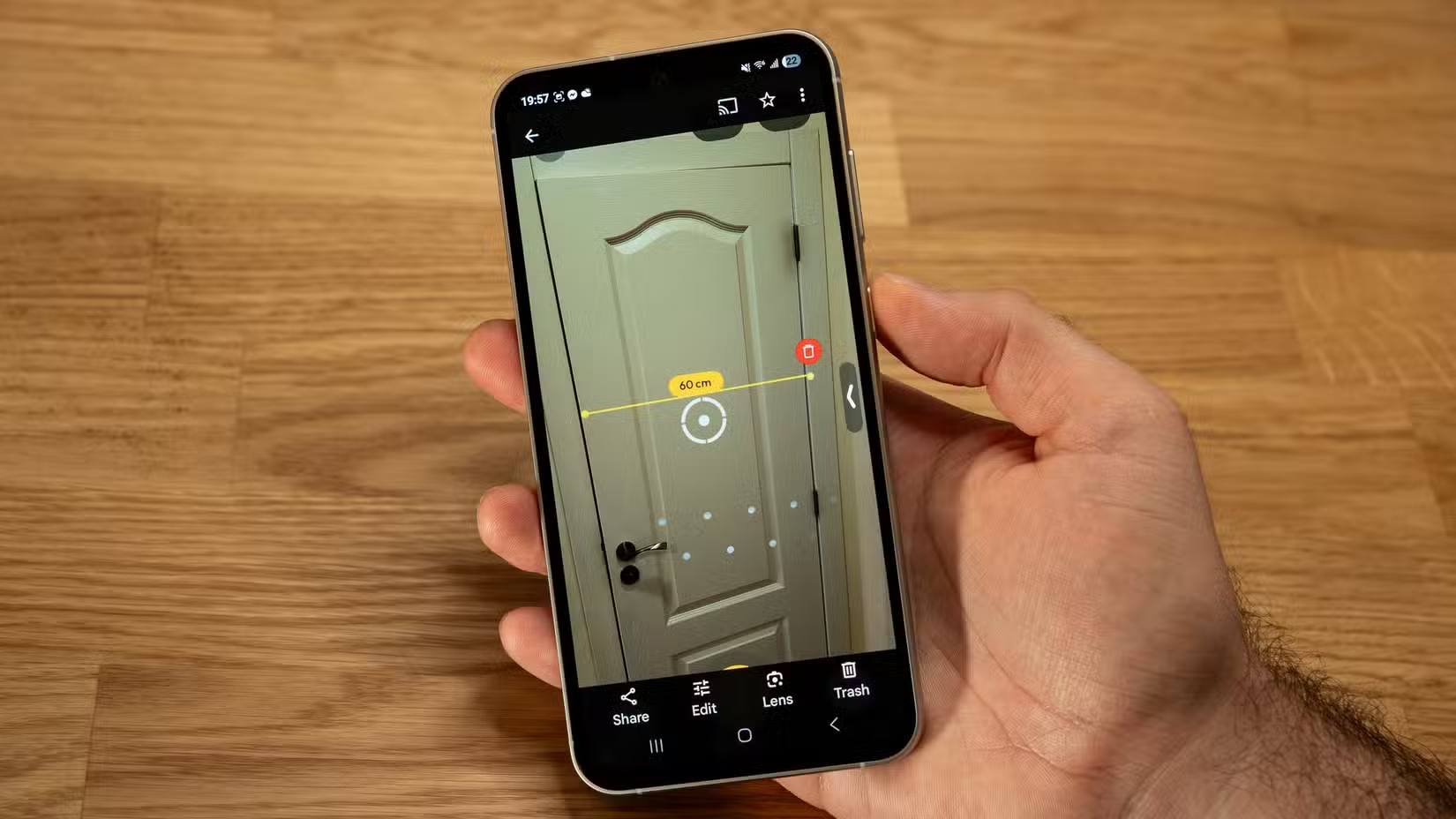
Your Smartphone: The Ultimate Portable Measurement Station
The evolution of measurement apps has transformed smartphones into remarkably capable measurement instruments that fit in your pocket. Whether you’re a professional who measures spaces daily or someone who occasionally needs to know if that couch will fit through the doorway, there’s an app designed for your specific needs.
The technology continues advancing rapidly, with each new generation of smartphones bringing enhanced sensors, more powerful processors, and improved AR capabilities. What seemed impossible just a few years ago—creating professional floor plans without specialized equipment—is now accessible to anyone with a modern smartphone.
By understanding the different types of measurement apps available, their strengths and limitations, and best practices for accurate results, you can leverage this technology effectively. The tape measure isn’t obsolete, but for many everyday measurement tasks, your smartphone provides a faster, more versatile, and surprisingly accurate alternative. The future of measurement is already in your hand—it’s time to start using it. 📲✨
