
Anúncios
Protect Your Phone from Unwanted Calls

Block Spam Now
In today’s hyperconnected world, our smartphones have become both a blessing and a curse. While they keep us connected to loved ones and important contacts, they’ve also become a gateway for an endless stream of spam calls, robocalls, and telemarketing interruptions. If you’ve ever felt your heart skip a beat thinking an important call was coming through, only to hear a robotic voice offering you an extended car warranty, you’re not alone. Millions of people worldwide face this daily frustration.
Fortunately, technology that creates problems can also solve them. Call blocking apps have emerged as powerful shields against these unwanted intrusions, offering sophisticated filtering systems that learn and adapt to new threats. Whether you’re dealing with persistent telemarketers, potential scammers, or just want to maintain your peace of mind, the right app can transform your phone experience from stressful to serene. 📱
Why Spam Calls Have Become Such a Major Problem
The explosion of spam calls isn’t just an annoyance—it’s a legitimate crisis affecting productivity, mental health, and even financial security. According to recent studies, Americans alone receive billions of spam calls annually, with numbers continuing to climb despite regulatory efforts. Scammers have become increasingly sophisticated, using caller ID spoofing to make their calls appear legitimate, sometimes even mimicking local area codes to increase the likelihood you’ll answer.
The financial impact is staggering. Fraud calls cost consumers billions of dollars each year, with vulnerable populations like the elderly being disproportionately targeted. Beyond monetary losses, there’s the psychological toll: the constant interruptions create anxiety, disrupt work flow, and erode trust in phone communications altogether. Many people now simply refuse to answer calls from unknown numbers, which can lead to missing genuinely important calls from doctors, potential employers, or emergency services.
Telecommunication companies have struggled to keep pace with the problem. While some carriers have implemented their own blocking systems, these often fall short because spammers continuously evolve their tactics. This gap in protection is precisely why third-party call blocking apps have become essential tools for anyone who values their time and security. 🛡️
How Call Blocking Apps Actually Work Behind the Scenes
Understanding the technology behind spam blocking apps helps you appreciate why they’re so effective—and why choosing the right one matters. Most sophisticated call blockers operate using several layers of protection working in tandem.
The first line of defense is typically a massive shared database of known spam numbers. When millions of users report a number as spam, it gets flagged in a centralized system. When that number tries to call you, the app instantly recognizes it and either blocks it completely or warns you before you answer. This crowdsourced approach means the system gets smarter with every report, creating a collective shield that protects the entire user community.
Advanced Detection Algorithms That Learn Your Preferences
Beyond simple blacklists, modern apps employ machine learning algorithms that analyze calling patterns. They look at factors like call frequency, time of day, geographic origin, and whether the number has a valid caller ID. Some apps can even detect the telltale signs of robocalls by analyzing the audio patterns in the first few seconds of a call—all before your phone even rings.
Many premium apps also include reverse phone lookup capabilities, giving you detailed information about who’s calling before you decide whether to answer. This transparency puts control back in your hands, allowing you to make informed decisions rather than playing phone roulette with every unknown number.
Essential Features to Look for in a Quality Blocking App
Not all call blocking apps are created equal. When evaluating your options, certain features separate the truly effective solutions from the mediocre ones. Here’s what you should prioritize:
- Real-time spam detection: The app should update its threat database continuously, not just weekly or monthly
- Customizable blocking rules: You need flexibility to block entire area codes, international calls, or numbers not in your contacts
- Minimal battery drain: Protection shouldn’t come at the cost of your phone’s performance
- Privacy protection: The app should be transparent about what data it collects and how it’s used
- Easy whitelist management: Important numbers should never get accidentally blocked
- Detailed call logs: You want to see what’s being blocked and have the ability to review and adjust
Some apps go beyond basic blocking to offer additional security features like SMS spam filtering, which has become equally important as text-based scams proliferate. The best solutions provide comprehensive protection across all communication channels without requiring you to become a tech expert to configure them properly. ✨
Popular Call Blocking Apps That Deliver Real Results
The market is saturated with options, but several apps have distinguished themselves through consistent performance and user satisfaction. While specific recommendations depend on your device and priorities, understanding the major players helps you make an informed choice.
Truecaller: The Crowd-Powered Defense System
With over 500 million users globally, Truecaller leverages one of the largest spam databases in existence. Its strength lies in community reporting—when thousands of people mark a number as spam, it gets blocked for everyone. The app also offers caller ID for unknown numbers, SMS filtering, and even a built-in dialer that replaces your phone’s default calling app. The free version is robust, though premium features like ad removal and enhanced blocking require a subscription.
RoboKiller: Specialized in Robocall Elimination
RoboKiller takes a unique approach by not just blocking spam calls but actively answering them with pre-recorded “answer bots” that waste the scammer’s time. This provides the dual satisfaction of protecting yourself while striking back at the source of the problem. The app uses audio fingerprinting technology to identify robocalls with remarkable accuracy, and its predictive analytics can catch new spam numbers before they’re widely reported.
Hiya: Carrier-Grade Protection for Individuals
Hiya powers spam protection for several major phone carriers, but also offers a standalone app for individual users. Its business-grade algorithms provide commercial-level security with a consumer-friendly interface. The app excels at identifying legitimate businesses versus scammers spoofing similar names, which helps prevent false positives that could block important calls from banks or healthcare providers.
Free Versus Paid Apps: What’s Actually Worth Paying For
One of the most common questions is whether premium call blocking apps justify their subscription costs. The answer depends on your specific situation and pain points.
Free apps typically offer basic blocking using shared databases and some level of caller ID functionality. For casual users who only receive occasional spam calls, these free tiers often provide adequate protection. However, they usually come with limitations: ads within the app, delayed database updates, restricted customization options, and sometimes data sharing agreements that monetize your call data (anonymized, but still something to consider).
Premium versions, which typically range from $3 to $10 monthly, unlock features that can significantly enhance your experience. These often include real-time updates, advanced AI detection, personal block lists without size limits, detailed analytics showing spam trends, priority customer support, and most importantly, no ads interrupting your use. For professionals whose livelihood depends on their phone, or anyone receiving dozens of spam calls daily, the nominal monthly fee quickly pays for itself in saved time and reduced stress. 💰
When Free Is Enough and When to Upgrade
Consider sticking with free options if you receive fewer than 5-10 spam calls weekly, don’t mind occasional ads, and have patience for slightly delayed threat detection. Upgrade to premium if spam calls significantly disrupt your daily life, you need professional-level reliability, you handle sensitive business communications, or you simply value your peace of mind highly enough that the cost is negligible compared to the benefit.
Privacy Considerations You Shouldn’t Ignore
While call blocking apps provide security from external threats, it’s crucial to understand what access you’re granting these apps and how they handle your data. Most effective blocking apps require permissions to access your call logs, contacts, and SMS messages—which are sensitive permissions that deserve careful consideration.
Reputable apps are transparent about their data practices, typically using your information in two ways: analyzing it locally on your device to provide personalized protection, and contributing anonymized metadata to their shared spam databases. The key word is “anonymized”—your personal information shouldn’t be sold or shared with third parties in identifiable form.
Before installing any app, review its privacy policy specifically looking for: what data is collected, whether it’s shared with third parties, how long it’s retained, and whether you can request deletion. Apps that offer end-to-end encryption or on-device processing without cloud uploads provide the strongest privacy protections, though they may sacrifice some of the benefits that come from shared intelligence. 🔒
Setting Up Your Call Blocker for Maximum Effectiveness
Installing an app is just the first step—proper configuration ensures you get optimal protection without accidentally blocking legitimate calls. Start by running through the initial setup wizard carefully, as this is where you’ll grant necessary permissions and establish your baseline preferences.
Begin with moderate blocking settings rather than the most aggressive options. This prevents the frustrating experience of missing important calls from numbers not in your contacts, like delivery drivers or medical offices. You can always tighten restrictions later based on your experience. Spend time properly importing your contacts and manually whitelisting critical numbers like your doctor, your child’s school, or your workplace.
Fine-Tuning Your Block Lists Over Time
Effective spam blocking is an ongoing process, not a set-it-and-forget-it solution. Check your blocked call log weekly for the first month to ensure nothing important slipped through. If you notice patterns—like all calls from a certain area code being blocked when you actually do business in that region—adjust your settings accordingly. Most apps allow you to create custom rules like “block all calls except from my contacts between 9 PM and 7 AM” that adapt to your lifestyle.
Remember to periodically update the app itself, as developers continuously refine their detection algorithms and add new spam number databases. Enable automatic updates if you trust the developer, or manually update monthly to ensure you have the latest protections.
What to Do When Spam Calls Still Get Through
No system is perfect, and occasionally spam calls will bypass even the best filters. When this happens, your response matters both for your own protection and for helping the broader community.
First, never engage with the caller. Don’t press buttons, don’t speak, and definitely don’t provide any personal information. Many robocall systems are designed to detect human voices—even saying “hello” can flag your number as active and lead to more calls. Instead, simply hang up immediately.
Next, report the number within your blocking app. This single action contributes to the shared database and helps protect thousands of other users. Most apps make reporting quick—often just a single tap on the call log entry. For particularly persistent or threatening calls, also file a report with your country’s telecommunications regulatory body, such as the FTC in the United States or Ofcom in the UK.
If a specific number keeps calling despite being blocked, this might indicate a more sophisticated operation using number rotation. In these cases, consider blocking entire number ranges or switching to an app with more aggressive algorithmic detection rather than just database matching. 📵
Platform-Specific Considerations: iOS Versus Android
The operating system your phone runs on significantly impacts both which apps are available and how effectively they can function. Understanding these differences helps set realistic expectations.
Android’s more open architecture allows blocking apps deeper system integration. They can fully intercept calls before your phone rings, automatically hang up on spam numbers, and provide more granular control over blocking rules. The trade-off is that this deeper access requires more extensive permissions, and the exact features available can vary depending on your Android version and phone manufacturer’s modifications.
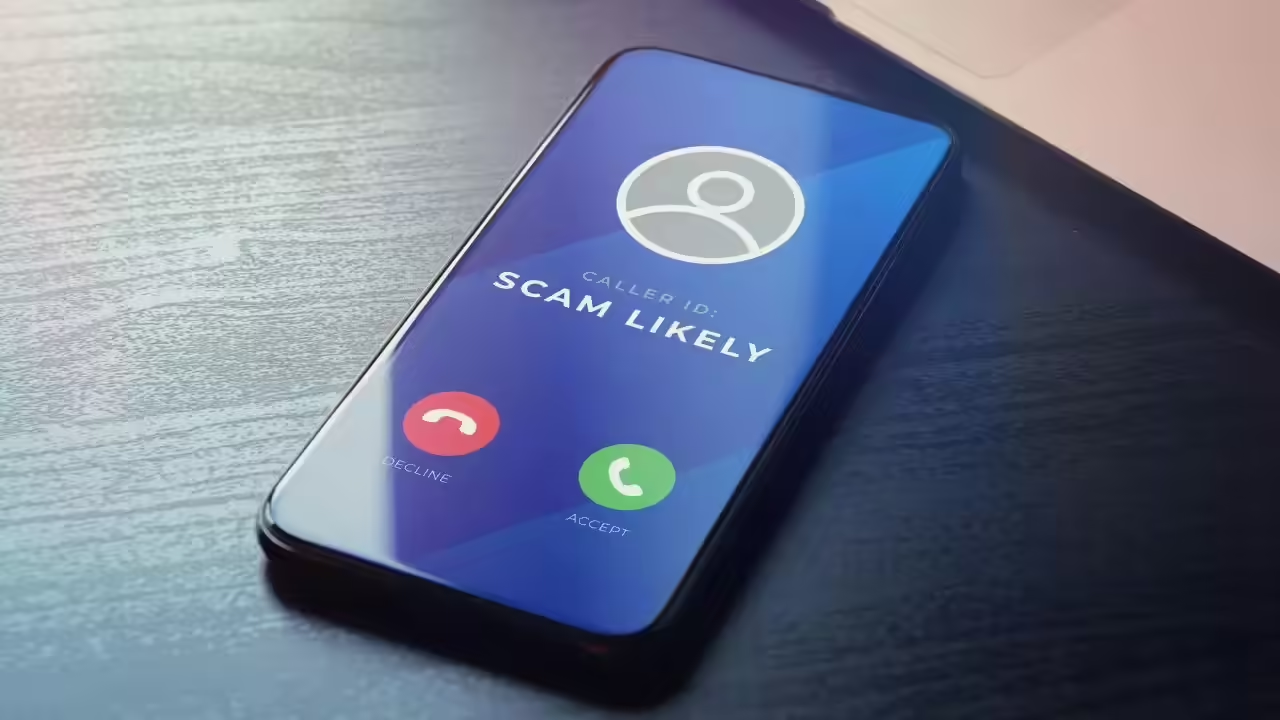
iOS takes a more restrictive approach prioritizing user privacy and system stability. Call blocking apps on iPhone work through Apple’s CallKit framework, which means they can identify and label calls but can’t actually prevent your phone from ringing—you’ll see a spam warning but must manually decline the call. iOS apps also can’t access your call history automatically; you must share it manually if you want that data analyzed. While these limitations reduce effectiveness somewhat, the tight integration with iOS means call blocking works reliably across all iPhones without compatibility issues.
The Future of Spam Call Protection Technology
As spam tactics evolve, so too must our defenses. The next generation of call blocking technology promises even more sophisticated protection through advances in artificial intelligence and telecommunications infrastructure.
Carriers are beginning to implement STIR/SHAKEN protocols—technical standards that authenticate caller ID information at the network level, making spoofing much more difficult. When fully deployed, this will dramatically reduce the number of scam calls that even reach blocking apps, as they’ll be stopped at the carrier level. However, full implementation remains years away, particularly for international calls.
AI-powered voice analysis is becoming sophisticated enough to identify scam calls within the first second of audio, analyzing not just the number but the actual voice patterns and background noise. Future apps may be able to silently answer calls, analyze them in real-time, and only ring your phone if the AI determines the call is legitimate—all happening in milliseconds before you’re even aware someone called.
Integration with smart home ecosystems is another emerging trend. Imagine your blocking app coordinating with your smart home system to automatically route important calls to speakers throughout your house while silencing spam entirely, or using location data to only allow calls through when you’re not in meetings or sleeping. 🚀
Taking Back Control of Your Phone Experience
Living with constant spam calls shouldn’t be the price we pay for mobile connectivity. The right call blocking app transforms your phone from a source of anxiety into the useful tool it was meant to be. By understanding how these apps work, choosing one that fits your needs, and configuring it properly, you can reclaim the peace and productivity that spam calls have stolen.
Start by identifying which app best matches your priorities—whether that’s the largest database, the most privacy-conscious approach, or the most aggressive blocking. Install it today rather than waiting for the next spam call to interrupt your dinner or important meeting. Spend fifteen minutes on proper setup, and you’ll save countless hours of frustration in return.
Your phone should work for you, not against you. With the tools and knowledge you now have, those annoying spam calls can become a problem of the past. Don’t let scammers and telemarketers control your communication channels any longer—take action now and enjoy the quiet confidence of knowing your phone will only ring when it actually matters. ✅
